Self-initiatedBrowser extension2026
Music Moments: Bookmarks for Spotify
A Chrome extension that saves the part of a song you came for. Mark a few seconds on Spotify's timeline, then jump back to them or loop them.
A Chrome extension for saving and looping any moment in a Spotify song, that looks like part of Spotify. About 8,000 loops played.
Music Moments is a Chrome extension that saves the part of a song you actually came for. Mark a few seconds on Spotify's timeline, and you can jump straight back to them or loop them.
1. Why it exists
I only love certain parts of certain songs. Spotify lets you save a song, an album, a whole playlist, but not the forty seconds you keep skipping to. Nobody had built that, so I did. It took about two weeks, landing page included.
2. It should look like Spotify built it
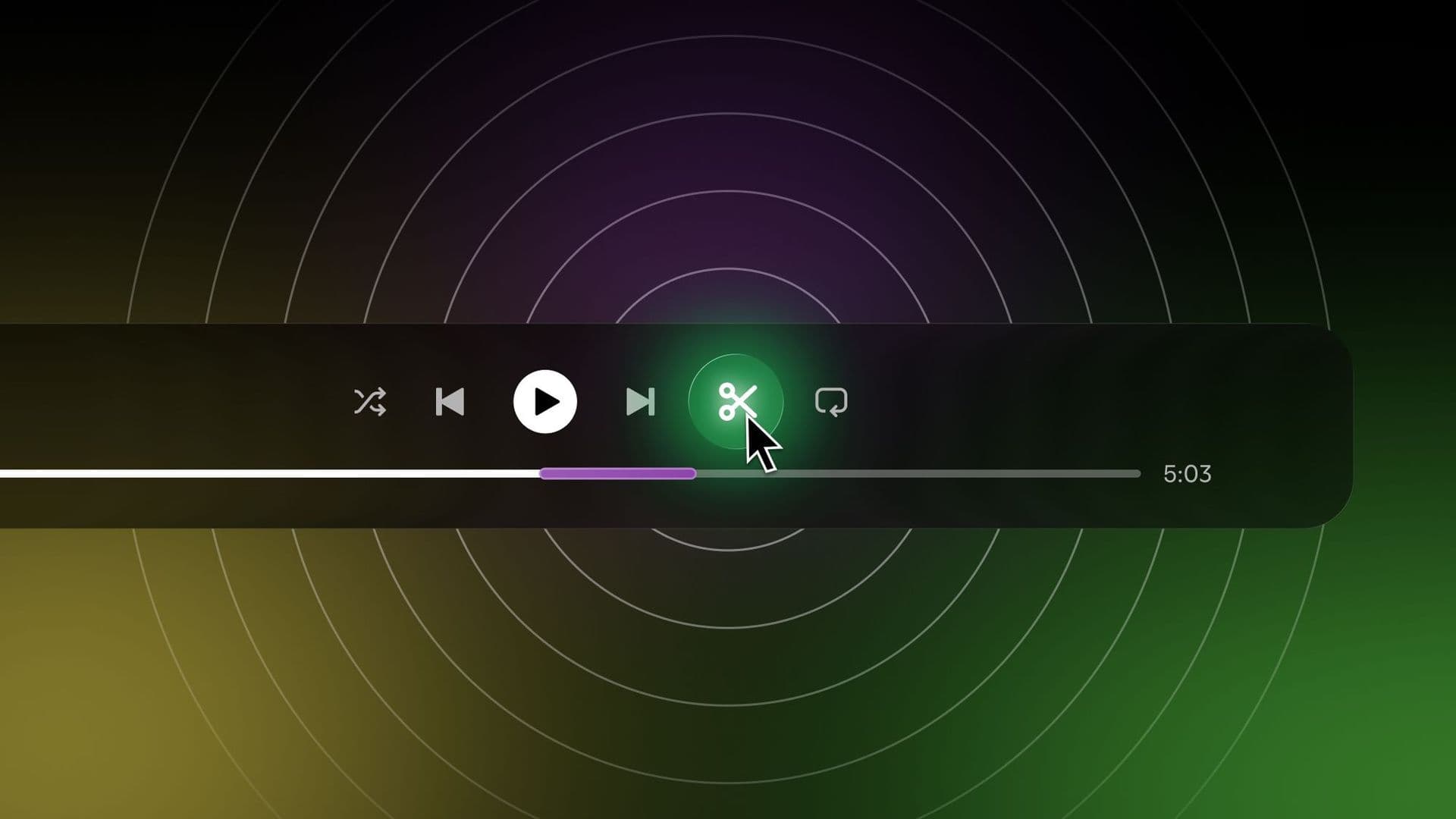
An extension that looks like an extension gets uninstalled. So nothing here opens its own window. A scissors button sits in Spotify's control row, next to shuffle and repeat. Saved moments are markers on Spotify's own progress bar, and the library is a Moments row in Spotify's own library.
Marking a moment is a mode of its own. Press the scissors and the page dims to one instruction: click the timeline where the moment starts. Then where it ends. Esc gets you out, and right-clicking a marker loops it.
3. No hard cuts
Landing in the middle of a song sounds like a scratched CD. So a moment starts two seconds early, and the volume fades in over those two seconds. Loops get two seconds of room on each side and fade out before they wrap, so the hundredth play still sounds like the song.
The hard part was moments in other songs. Spotify plays a new track from the top while it loads, so jumping to a moment in a different song played a second of the wrong part first. Now the extension mutes before it switches, keeps the volume at zero until the song reaches the right second, then fades in. That one second took more fixes than the rest of the extension.
4. Your moments stay yours
There's no account and no sync. Moments live in the browser, on your own computer, and the only permission the extension asks for is storage. Anonymous usage stats stay off until you say yes.
5. Where it is now
It's small: 14 people use it, with a 5.0 rating from six reviews on the Chrome Web Store, and about 8,000 loops played between them. I tried a SoundCloud version too. It was too unreliable to ship, so Music Moments stays a Spotify extension.
Delivered
- Chrome extension for Spotify
- Interface design
- Marking and loop interactions
- Moments library
- Opt-in analytics
- Landing page
- Chrome Web Store listing
Questions
What does Music Moments do?
It saves a few seconds of a Spotify song as a moment. Click the scissors, mark a start and an end on the timeline, and the moment sits on the progress bar and in your library, ready to jump back to or loop.
How do the loops avoid sounding choppy?
Every jump starts two seconds early and fades in. Loops get two seconds of room on each side and fade out before they wrap, so they never cut in mid-note.
Does Music Moments collect any data?
Your moments never leave your computer: there's no account and no sync. Anonymous usage stats, like how many loops get played, are only sent if you opt in.
How was Music Moments built?
As a Chrome extension in plain JavaScript that adds its controls straight into Spotify's web player. It asks for one permission, storage. About two weeks, landing page included.
Want one of these for your product?